
Revenue with an operational basis
Build the forecast from work that can realistically be staffed and delivered. Keep opportunity assumptions, committed work and billing expectations distinguishable.
Project Profitability and Margin Improvement Software
Revenue alone does not explain project performance.
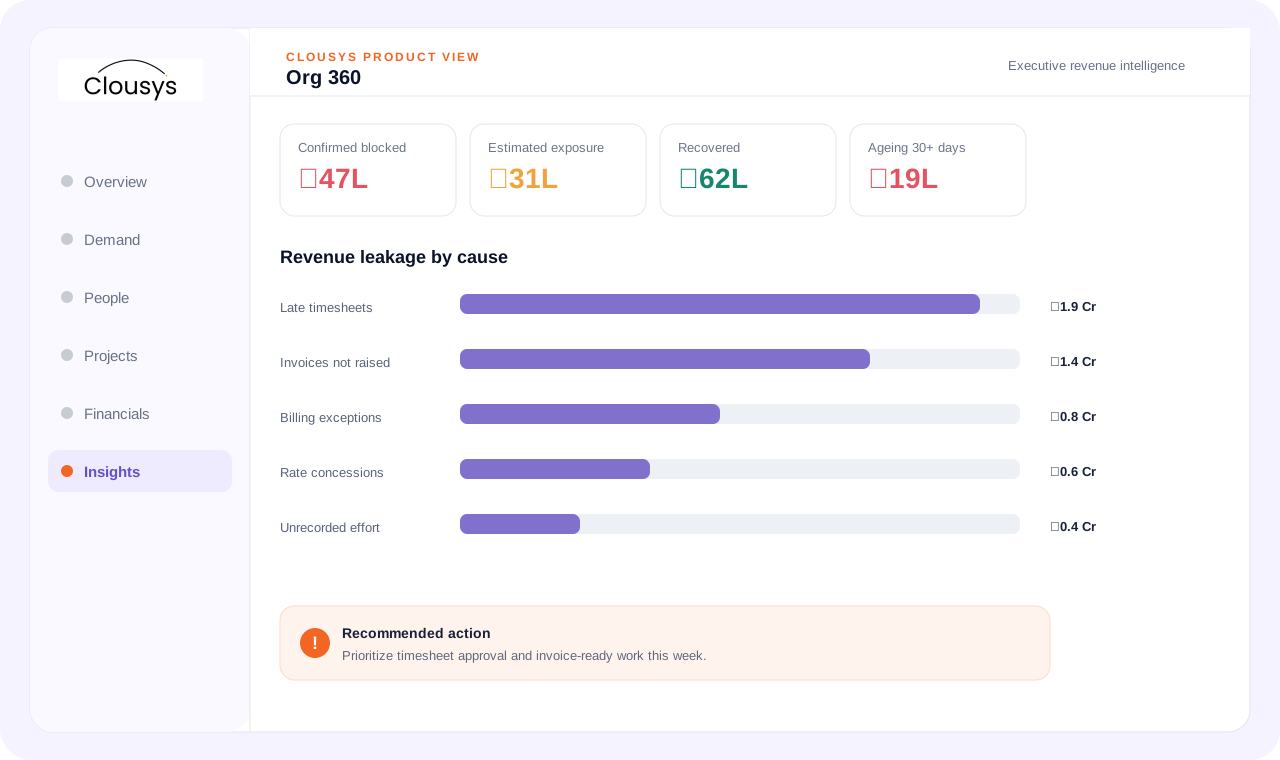
Project profitability software brings revenue, delivery cost and recorded effort together at project level. Margin improvement starts by distinguishing rate changes, effort overruns, staffing mix and billing exceptions, then assigning an owner to the underlying action.
START WITH THE OPERATING QUESTION
Revenue alone does not explain project performance. Additional hours, staffing changes and revised scope can change the economics of an engagement. Review them against the original assumptions before accepting a new delivery commitment.
FOLLOW THE WORK
WHAT THE WORKSPACE SUPPORTS
Build the forecast from work that can realistically be staffed and delivered. Keep opportunity assumptions, committed work and billing expectations distinguishable.
Understand where delivered work sits in the approval chain. Submitted time, approved work with an exception and invoice-ready value represent different operational states.
Review billing exceptions against the engagement’s agreed terms. Rate discrepancies, purchase-order constraints and missing approvals require different resolution paths.
Review how long value has remained blocked and the cause of the delay. Prioritize aged, material exceptions with the teams able to resolve them.
Examine effort, staffing costs, rates and delivery variance alongside the project’s expected revenue. A headline margin percentage is an outcome, not a diagnosis.
Track value that was blocked and has moved into invoicing. Define the event counted as recovery so it is not confused with cash collected.
A SITUATION YOUR TEAM MAY RECOGNIZE
A client requests another release within the same commercial scope. Review the additional effort, required skills and schedule impact. Bring the financial baseline into the decision before agreeing whether the work is included, deferred or handled through a change request.
Illustrative operating scenario, not a customer case study.
Illustrative product data · recovery means moved into invoicing, not cash collected
MAKE OWNERSHIP CLEAR
Bring the requirement and the decision that needs attention.
Review the practical constraints and their effect on the plan.
Confirm the evidence, ownership and next review point.
TAKE THESE QUESTIONS INTO YOUR DEMO
Use a real requirement from your business. Ask the team to follow it through the workflow and explain what happens when information is missing or a commitment changes.
START WITH A DEFINED SCOPE
Begin with the decision described above and the people who own it. Agree which records are required, where they come from and what each status means before extending the process across more teams.
During implementation planning, confirm permissions, approval responsibilities and integration requirements for your environment. The demo should help identify these questions; it does not replace that work.
QUESTIONS BEFORE YOU BEGIN
Start with your own operating question: Is the engagement growing—or simply consuming more effort? Review the evidence and decision points in that workflow, then use the three demo questions above to test whether the approach fits your team.
Yes. Bring a specific requirement, exception or reporting question to the demo. Discuss the relevant Clousys modules, required records and implementation scope before deciding how widely to roll out the process.
GO DEEPER
Bring the question, the current process and the team responsible for the next decision.

Translate likely opportunities into dated skill requirements without treating every possible deal as a confirmed assignment.
Read article →
Review scope changes, excess effort, staffing mix, rate exceptions, idle capacity, late records and billing delays together.
Read article →
Give leaders a traceable view of capacity, delivery and financial risk, with clear distinctions between facts and estimates.
Read article →
Evaluate a resource recommendation against experience, delivery context and the constraints a skills score cannot explain.
Read article →