
Demand before the project starts
Translate upcoming work into dated resource requirements. Capture the skill, effort, duration and confidence of each need.
Resource Utilization and Planning Software
A person can be fully booked without being fully billable.
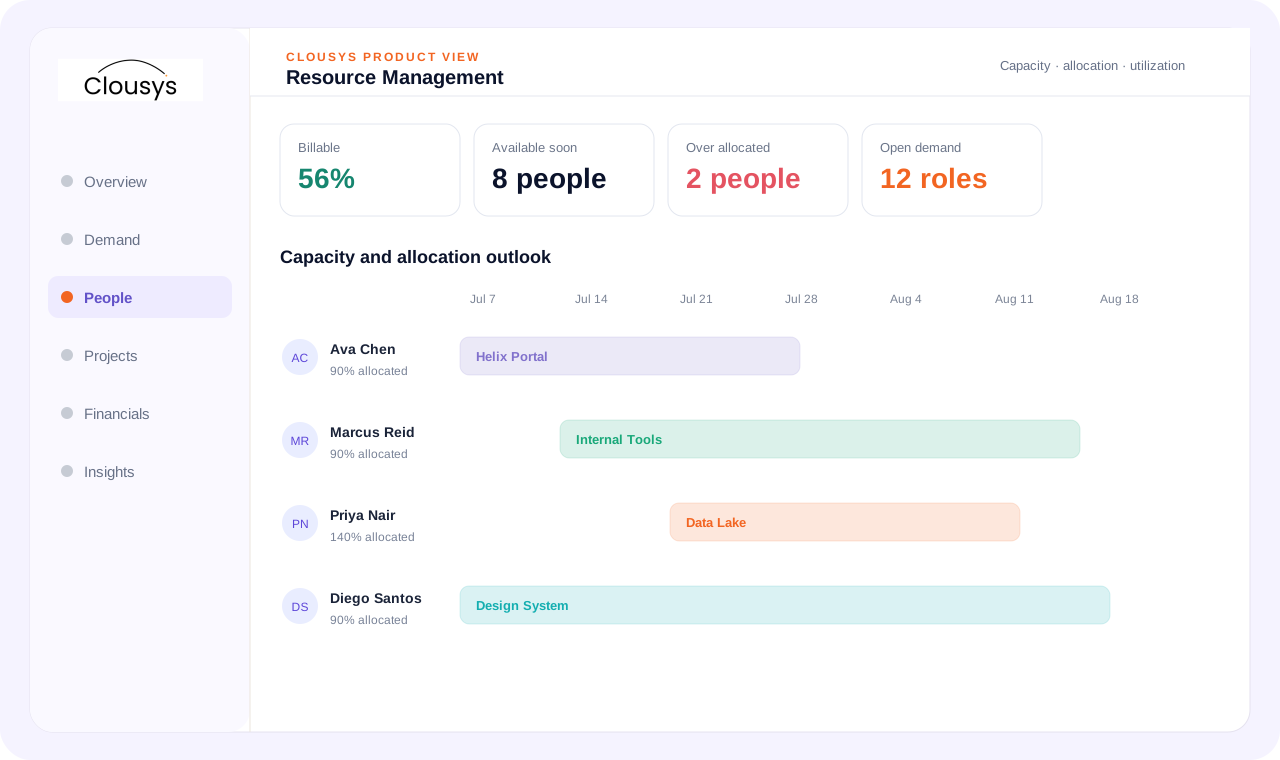
Resource planning software connects forecast demand with available people and skills. Resource utilization software then compares planned and recorded work using clearly defined capacity and billability measures. A full calendar alone does not establish billable utilization or project profitability.
START WITH THE OPERATING QUESTION
A person can be fully booked without being fully billable. Utilization depends on the reporting period, work categories and available-capacity definition. Make those distinctions clear before using the number to change assignments or set targets.
FOLLOW THE WORK
WHAT THE WORKSPACE SUPPORTS
Translate upcoming work into dated resource requirements. Capture the skill, effort, duration and confidence of each need.
Available capacity is not simply headcount. Subtract existing assignments, leave, working patterns and internal commitments from the planning horizon.
See project assignments alongside the people doing the work. Weekly and monthly views reveal overlaps, unassigned demand and timing conflicts that a list of names cannot.
Identify people approaching the end of an assignment and connect them to upcoming work. Review bench exposure against demand timing and skill fit rather than pushing every available person into the first open slot.
Spot people whose total commitments exceed available capacity. Review the projects creating the overlap, its duration and the effect of planned leave.
Separate allocation from actual utilization. Planned billable hours indicate intent; approved billable time indicates what happened.
A SITUATION YOUR TEAM MAY RECOGNIZE
A team appears fully allocated, but approved billable effort is lower than expected. Review internal work, leave, time awaiting approval and the dates of each assignment. Resolve the cause rather than treating every gap as an individual performance issue.
Illustrative operating scenario, not a customer case study.
Illustrative assignments · planned allocation is not actual utilization
MAKE OWNERSHIP CLEAR
Bring the requirement and the decision that needs attention.
Review the practical constraints and their effect on the plan.
Confirm the evidence, ownership and next review point.
TAKE THESE QUESTIONS INTO YOUR DEMO
Use a real requirement from your business. Ask the team to follow it through the workflow and explain what happens when information is missing or a commitment changes.
START WITH A DEFINED SCOPE
Begin with the decision described above and the people who own it. Agree which records are required, where they come from and what each status means before extending the process across more teams.
During implementation planning, confirm permissions, approval responsibilities and integration requirements for your environment. The demo should help identify these questions; it does not replace that work.
QUESTIONS BEFORE YOU BEGIN
Start with your own operating question: Are you measuring planned allocation or approved actual effort? Review the evidence and decision points in that workflow, then use the three demo questions above to test whether the approach fits your team.
Yes. Bring a specific requirement, exception or reporting question to the demo. Discuss the relevant Clousys modules, required records and implementation scope before deciding how widely to roll out the process.
GO DEEPER
Bring the question, the current process and the team responsible for the next decision.

Translate likely opportunities into dated skill requirements without treating every possible deal as a confirmed assignment.
Read article →
Review scope changes, excess effort, staffing mix, rate exceptions, idle capacity, late records and billing delays together.
Read article →
Give leaders a traceable view of capacity, delivery and financial risk, with clear distinctions between facts and estimates.
Read article →
Evaluate a resource recommendation against experience, delivery context and the constraints a skills score cannot explain.
Read article →