
Employee context
Maintain a consistent employee record so workforce decisions are based on the same person, role and organizational context. Define which team owns updates and who can access sensitive fields.
AI Workforce Optimization Platform
A hiring plan is stronger when it starts with future work and the capabilities already inside the business.
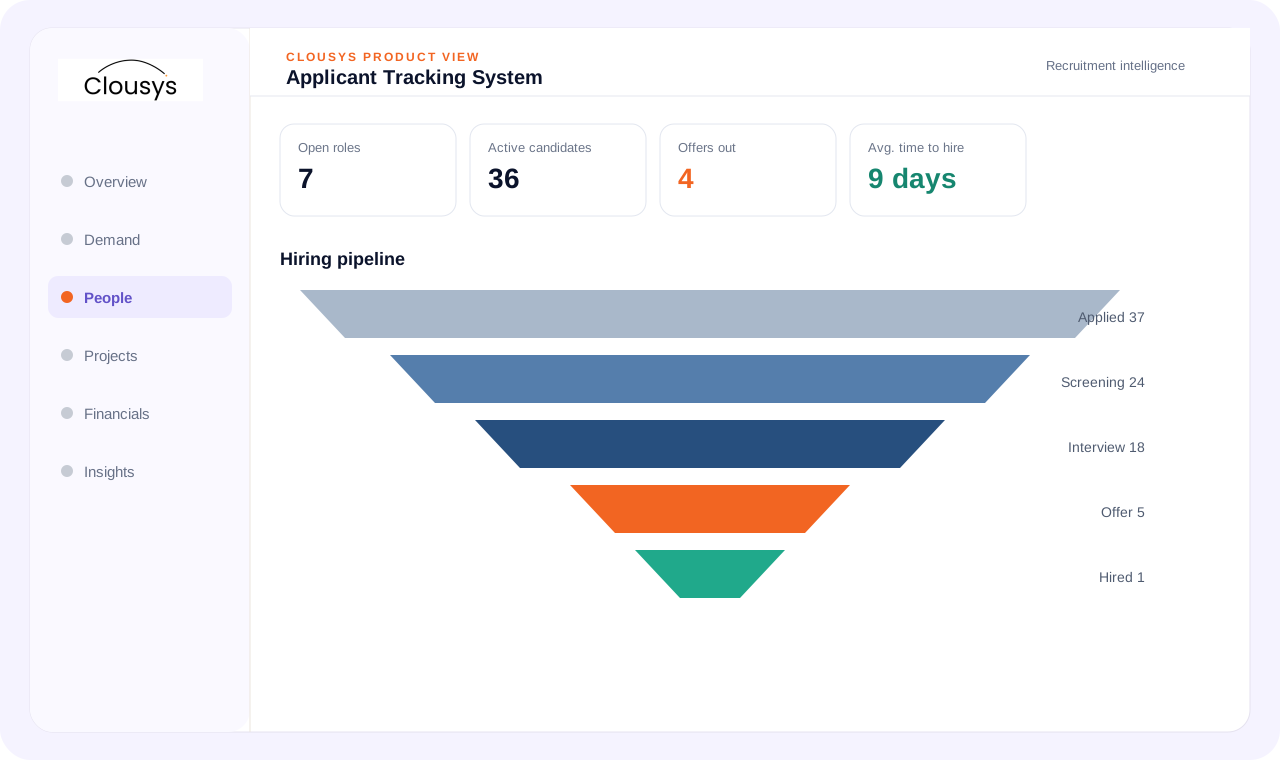
A workforce optimization platform connects current skills and availability with future demand. AI-assisted analysis can support the comparison of options, while managers retain responsibility for deployment, development and hiring decisions and the assumptions behind them.
START WITH THE OPERATING QUESTION
A hiring plan is stronger when it starts with future work and the capabilities already inside the business. Review skills, employee readiness and upcoming demand together before assuming every gap needs a new external hire.
FOLLOW THE WORK
WHAT THE WORKSPACE SUPPORTS
Maintain a consistent employee record so workforce decisions are based on the same person, role and organizational context. Define which team owns updates and who can access sensitive fields.
Connect the hiring decision to onboarding and expected availability. Track the information and approvals required before treating a new employee as deployable capacity.
Use skills and experience as part of workforce planning. Distinguish validated capability from a self-reported interest and review where scarce expertise constrains delivery.
Connect approved leave and working patterns to the resource view. A person’s employment status alone does not establish availability for a particular week.
Compare projected work with the skills and capacity the organization can supply. Discuss whether a gap should be addressed through redeployment, development, hiring or external talent.
Make transitions between recruitment, HR, resources and delivery explicit. Each team should know which record is ready, which information is missing and who owns the next step.
A SITUATION YOUR TEAM MAY RECOGNIZE
A practice expects more cloud engagements next quarter. Some employees already have relevant certifications, while others could become ready through development. Compare that internal path with the timing and certainty of external demand before opening positions.
Illustrative operating scenario, not a customer case study.
Illustrative workflow · confirm configuration during your demo
MAKE OWNERSHIP CLEAR
Bring the requirement and the decision that needs attention.
Review the practical constraints and their effect on the plan.
Confirm the evidence, ownership and next review point.
TAKE THESE QUESTIONS INTO YOUR DEMO
Use a real requirement from your business. Ask the team to follow it through the workflow and explain what happens when information is missing or a commitment changes.
START WITH A DEFINED SCOPE
Begin with the decision described above and the people who own it. Agree which records are required, where they come from and what each status means before extending the process across more teams.
During implementation planning, confirm permissions, approval responsibilities and integration requirements for your environment. The demo should help identify these questions; it does not replace that work.
QUESTIONS BEFORE YOU BEGIN
Start with your own operating question: Should you develop a skill, redeploy someone or recruit? Review the evidence and decision points in that workflow, then use the three demo questions above to test whether the approach fits your team.
Yes. Bring a specific requirement, exception or reporting question to the demo. Discuss the relevant Clousys modules, required records and implementation scope before deciding how widely to roll out the process.
GO DEEPER
Bring the question, the current process and the team responsible for the next decision.

Translate likely opportunities into dated skill requirements without treating every possible deal as a confirmed assignment.
Read article →
Review scope changes, excess effort, staffing mix, rate exceptions, idle capacity, late records and billing delays together.
Read article →
Give leaders a traceable view of capacity, delivery and financial risk, with clear distinctions between facts and estimates.
Read article →
Evaluate a resource recommendation against experience, delivery context and the constraints a skills score cannot explain.
Read article →