
Project context and ownership
Give every project a clear scope, accountable manager and delivery structure. Keep the team aligned on the work being delivered and the commitments behind it.
Project Operations and Delivery Management Software
A task board shows activity but may not explain whether the engagement can meet its commitments.
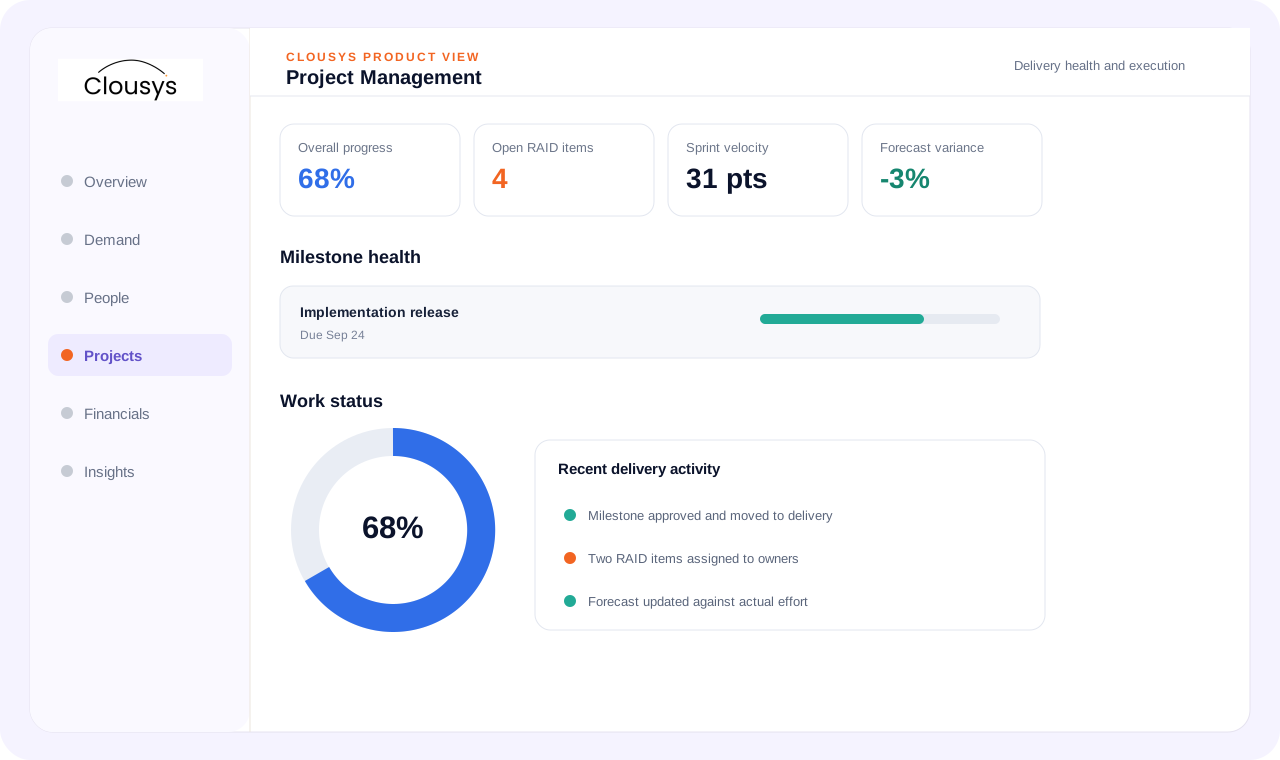
Project operations software connects scope, milestones, resource commitments and delivery governance. Professional services delivery management also needs effort, cost and billing context, so teams can understand the financial consequences of delays, changes and staffing decisions.
START WITH THE OPERATING QUESTION
A task board shows activity but may not explain whether the engagement can meet its commitments. Review milestones with staffing, dependencies and financial assumptions. The purpose of project operations is to make the plan executable and exceptions actionable.
FOLLOW THE WORK
WHAT THE WORKSPACE SUPPORTS
Give every project a clear scope, accountable manager and delivery structure. Keep the team aligned on the work being delivered and the commitments behind it.
Define milestones around verifiable delivery outcomes. Review progress together with due dates, dependencies and remaining work, rather than interpreting a completion percentage as certainty.
Organize epics, use cases and backlog items into a delivery workflow. Track work through agreed states so the team can distinguish work waiting to start from work actively in progress.
Capture RAID items with an owner, impact and next review. Distinguish a potential risk from an issue already affecting delivery.
Compare expected effort with recorded work throughout delivery. Review the remaining effort as well as the variance already incurred.
Coordinate releases and weekly status around the same delivery evidence. Summarize progress, risks and decisions in language stakeholders can act on.
A SITUATION YOUR TEAM MAY RECOGNIZE
A milestone is marked on track while a critical resource request is still unfilled. Review that dependency before confirming the date. Adjust the plan or staffing commitment explicitly and reflect the decision in the next customer status review.
Illustrative operating scenario, not a customer case study.
Illustrative workflow · confirm configuration during your demo
MAKE OWNERSHIP CLEAR
Bring the requirement and the decision that needs attention.
Review the practical constraints and their effect on the plan.
Confirm the evidence, ownership and next review point.
TAKE THESE QUESTIONS INTO YOUR DEMO
Use a real requirement from your business. Ask the team to follow it through the workflow and explain what happens when information is missing or a commitment changes.
START WITH A DEFINED SCOPE
Begin with the decision described above and the people who own it. Agree which records are required, where they come from and what each status means before extending the process across more teams.
During implementation planning, confirm permissions, approval responsibilities and integration requirements for your environment. The demo should help identify these questions; it does not replace that work.
QUESTIONS BEFORE YOU BEGIN
Start with your own operating question: Do milestones, resource bookings and effort tell the same story? Review the evidence and decision points in that workflow, then use the three demo questions above to test whether the approach fits your team.
Yes. Bring a specific requirement, exception or reporting question to the demo. Discuss the relevant Clousys modules, required records and implementation scope before deciding how widely to roll out the process.
GO DEEPER
Bring the question, the current process and the team responsible for the next decision.

Translate likely opportunities into dated skill requirements without treating every possible deal as a confirmed assignment.
Read article →
Review scope changes, excess effort, staffing mix, rate exceptions, idle capacity, late records and billing delays together.
Read article →
Give leaders a traceable view of capacity, delivery and financial risk, with clear distinctions between facts and estimates.
Read article →
Evaluate a resource recommendation against experience, delivery context and the constraints a skills score cannot explain.
Read article →